|
ทำโมเดล Fig ใส่กล่องด้วย Google Gemini | คู่มือ 5 นาที (2025)
วิธีทำโมเดล fig น่ารักๆ กำลังฮิตตอนนี้ใส่กล่องพร้อม ด้วย google gemini
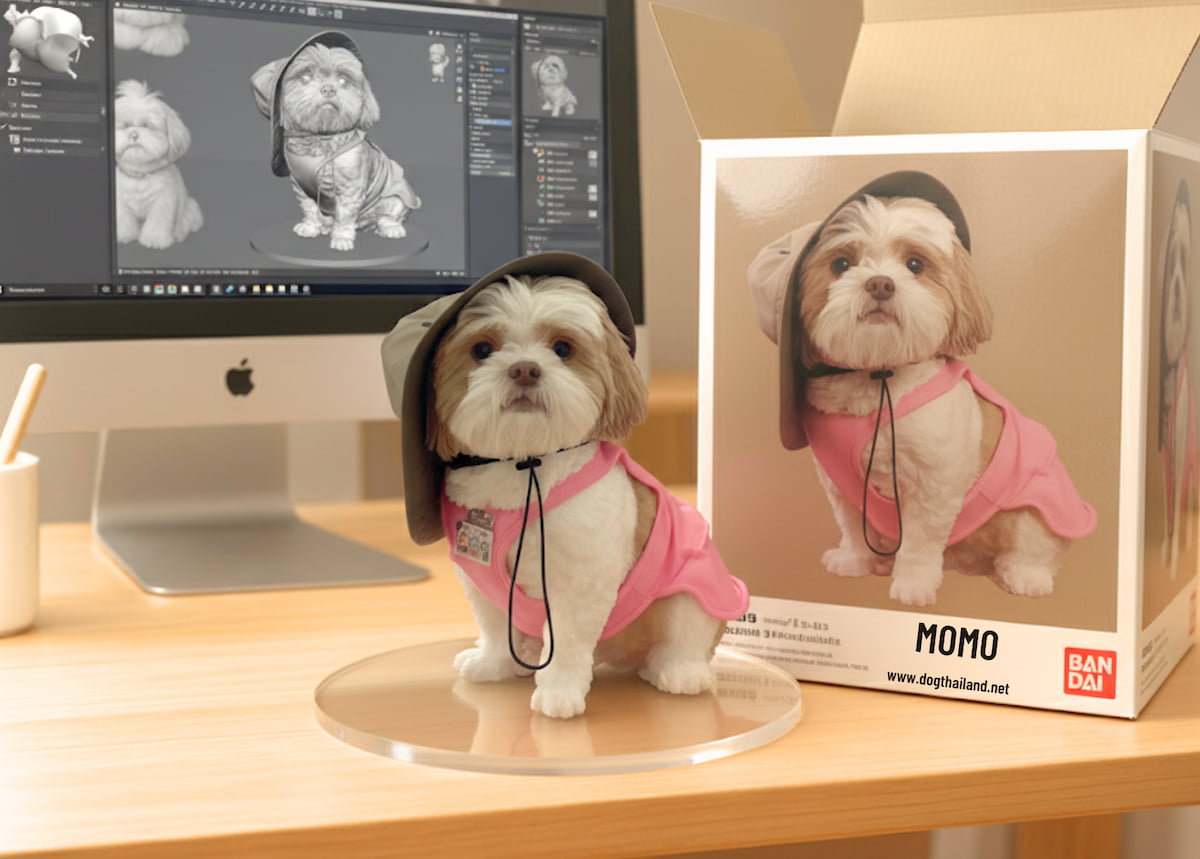
ฮาวทูทำภาพโมเดล fig สไตล์ของเล่น “ใส่กล่อง” ด้วย Google Gemini พร้อมทริกขนาดภาพ พรีเซ็ต/การจัดแสง ไอเดียดีไซน์ และวิธีเซฟไฟล์สำหรับแชร์/พิมพ์
ทรนด์ “Fig-in-Box” กำลังมาแรง! เปลี่ยนรูปน้องหมา-น้องแมวหรือรูปคนให้เป็น โมเดลฟิกเกอร์น่ารัก ๆ ในกล่องของเล่น ได้ง่าย ๆ ด้วย Google Gemini โพสต์นี้รวมขั้นตอนตั้งแต่คิดคอนเซ็ปต์, เขียนคำสั่ง (prompt) ให้ได้ทรงกล่องสวย, จัดไฟ/พื้นหลัง, ใส่โลโก้-บาร์โค้ด ไปจนถึงการเซฟไฟล์ ขนาดพอดีสำหรับ Facebook/IG และรูปปกบทความ พร้อมทริกแก้ผิว-แก้มือที่เบี้ยวให้เนียนตา
เทรนด์ Fig-in-Box กำลังฮิต! เปลี่ยนรูปตัวเองให้กลายเป็น โมเดลฟิกเกอร์ 1/7 ในกล่องของเล่น ด้วย Google Gemini แบบง่ายมาก โพสต์นี้มี พรอมต์ก๊อปใช้ได้เลย, ไกด์เลือกภาพต้นทาง, เคล็ดลับแก้หน้า-มือ และสเปกไฟล์ สำหรับแชร์/ทำปก ครบจบในไม่กี่นาที
ขั้นตอนแบบสั้น (ทำตามทีละข้อ)
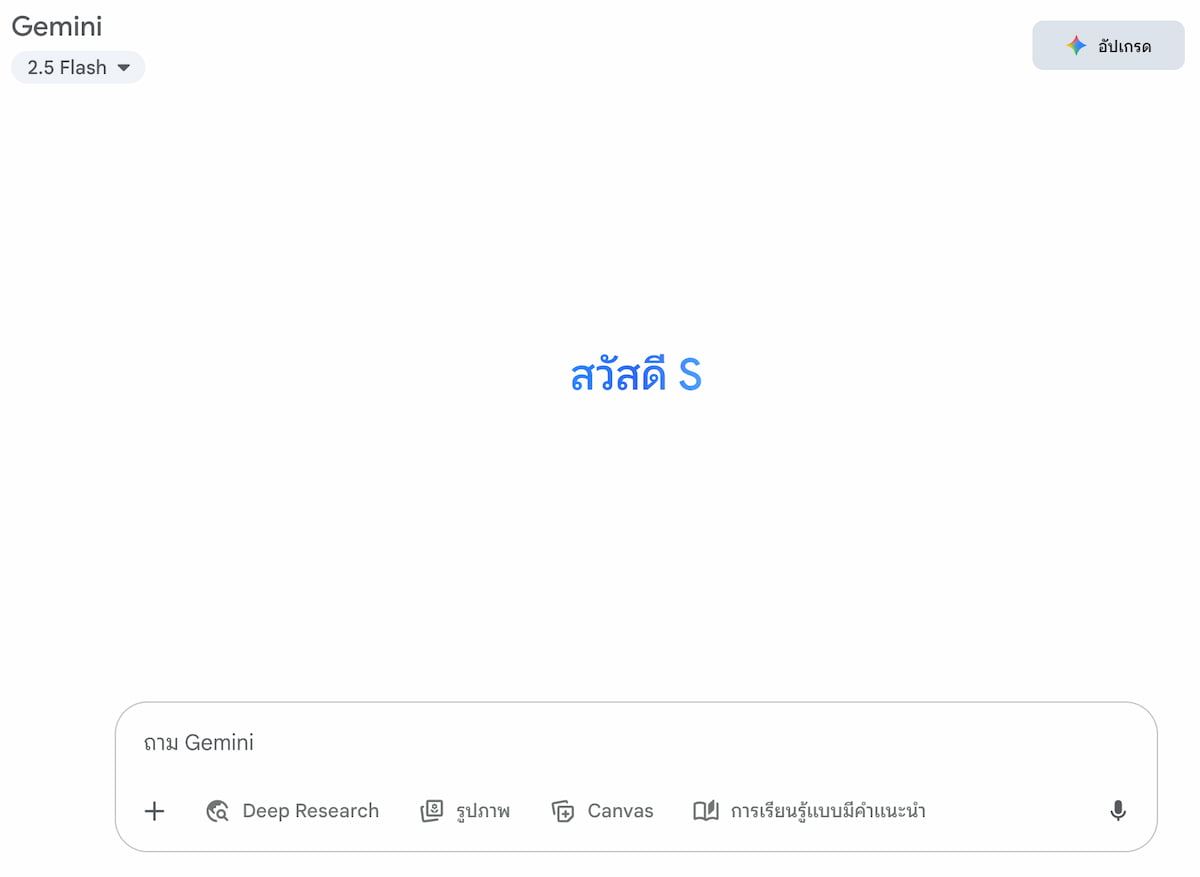
เข้า Google Gemini
เปิดหน้า Gemini แล้วไปที่โหมดสร้างภาพ (ถ้าเห็นปุ่ม “Generate image/สร้างภาพ” ให้ใช้ปุ่มนั้น)
วิธีทำโมเดล fig น่ารักๆ กำลังฮิตตอนนี้ใส่กล่องพร้อม ด้วย google gemini
2. เตรียมรูปตัวเอง (อัปโหลด 1 ภาพ)
วิธีทำโมเดล fig น่ารักๆ กำลังฮิตตอนนี้ใส่กล่องพร้อม ด้วย google gemini

แนะนำ เต็มตัว หรืออย่างน้อยเอวขึ้นที่เห็นแขน-มือชัด พื้นหลังโล่ง แสงดี หน้าไม่หลุดโฟกัส ขนาดอย่างต่ำ ~1500–2000px สูงกว่ากว้าง (4:5) หรือสี่เหลี่ยมจัตุรัส 1024–2048px
3. อัปโหลดรูป + วางพรอมต์ หรือคำสั่งเพื่อให้ทำภาพที่เราต้องการ
วิธีทำโมเดล fig น่ารักๆ กำลังฮิตตอนนี้ใส่กล่องพร้อม ด้วย google gemini
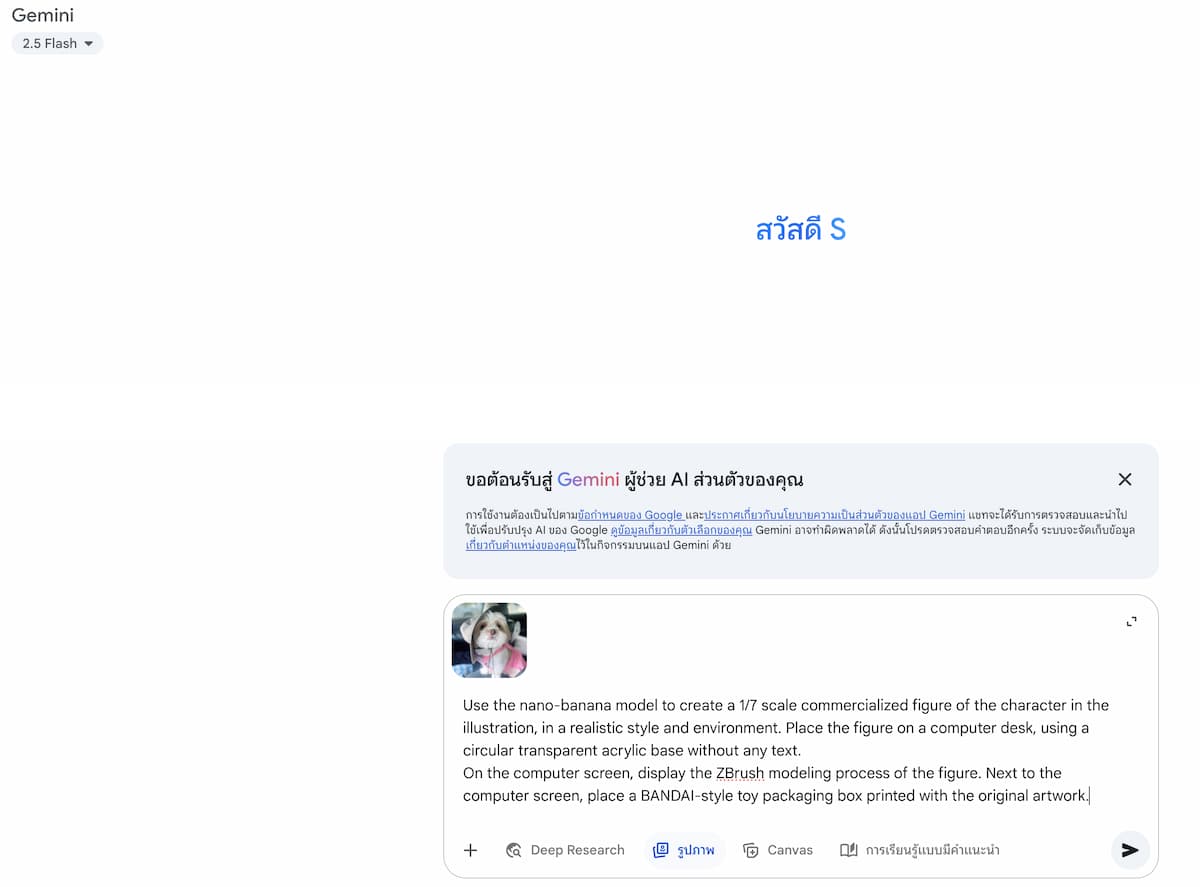
วางพรอมต์ ภาษาอังกฤษ บทความด้านล่าง ในโปรแกรม Google Gemini แล้วกดสร้าง
A) “ฟิกเกอร์บนโต๊ะคอม + กล่องของเล่นข้างจอ”
Turn the person in the uploaded photo into a 1/7 scale commercial figure in a realistic style. Place the figure on a computer desk, on a circular transparent acrylic base with no text or logos. On the monitor, show the ZBrush modeling process of the same figure. Next to the monitor, place a Japanese toy-style packaging box printed with the original artwork. Cinematic soft lighting, clean studio environment, sharp details. No watermark, no extra people, no brand logos.
ผลที่ได้
วิธีทำโมเดล fig น่ารักๆ กำลังฮิตตอนนี้ใส่กล่องพร้อม ด้วย google gemini
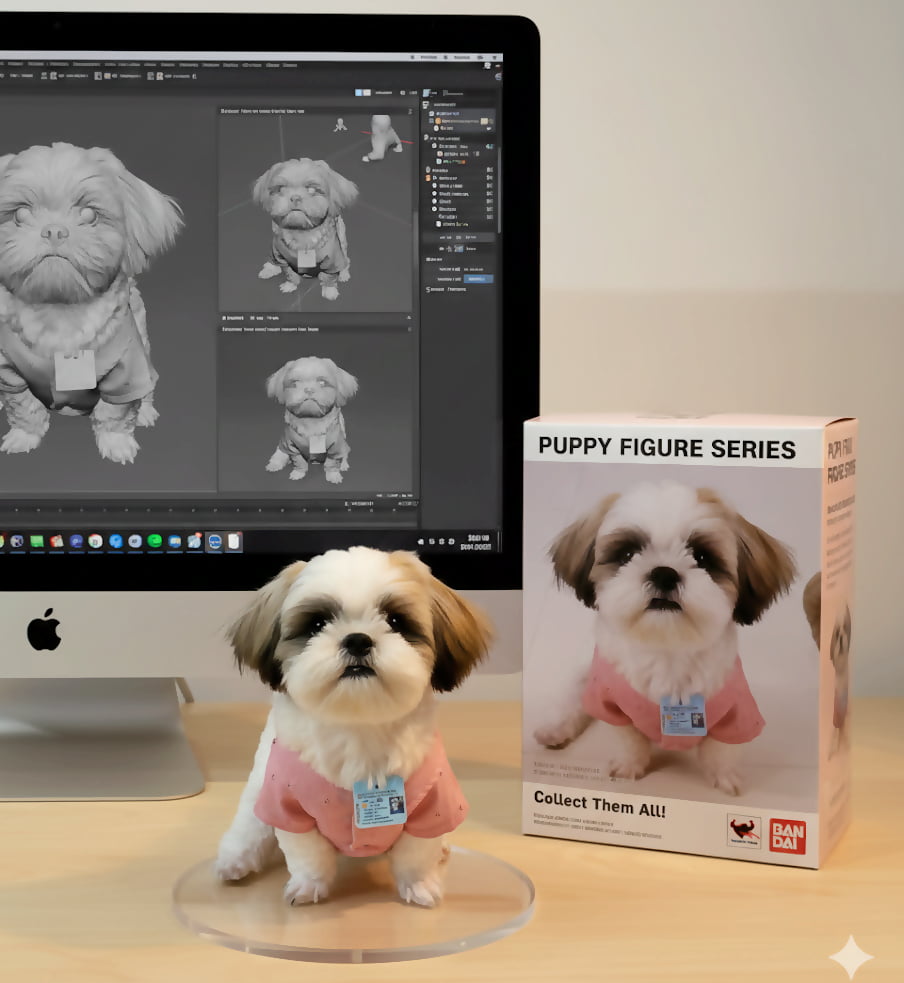
B )
Turn the person in the uploaded photo into a 1/7 scale commercial figure in a realistic style. Place the figure on a computer desk, on a circular transparent acrylic base with no text or logos. On the monitor, show the ZBrush modeling process of the same figure. Next to the monitor, place a Japanese toy-style packaging box printed with the original artwork. Cinematic soft lighting, clean studio environment, sharp details. No watermark, no extra people, no brand logos.
ผลที่ได้
วิธีทำโมเดล fig น่ารักๆ กำลังฮิตตอนนี้ใส่กล่องพร้อม ด้วย google gemini
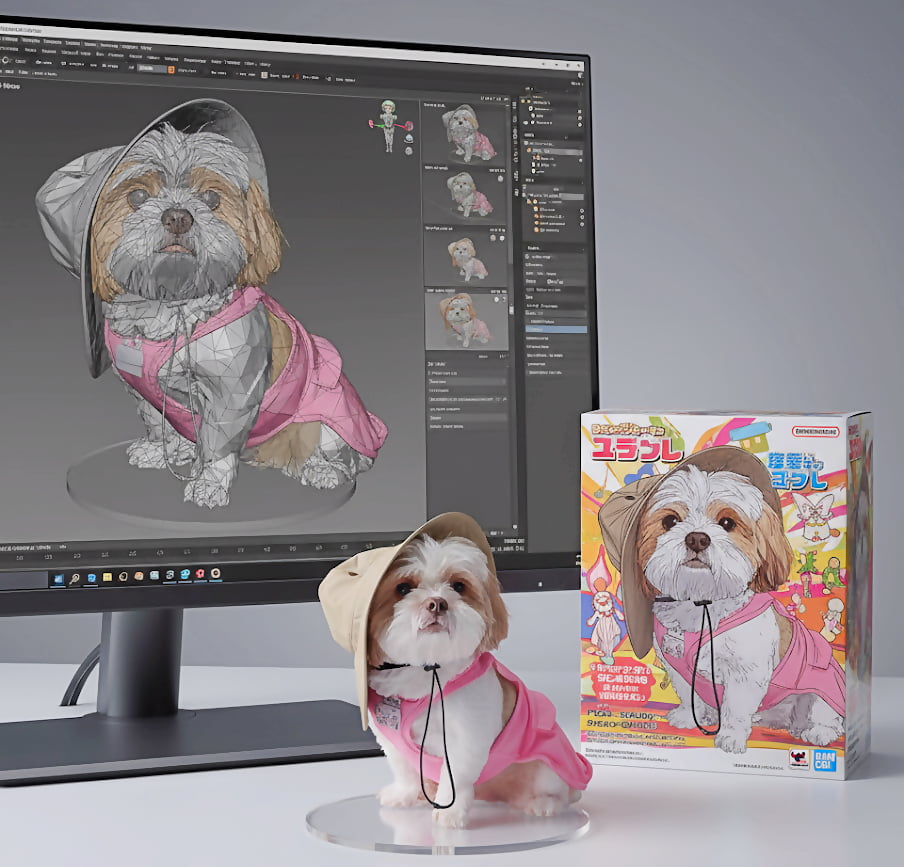
Use the nano-banana model to create a 1/7 scale commercialized figure of the character in the illustration, in a realistic style and environment. Place the figure on a computer desk, using a circular transparent acrylic base without any text.On the computer screen, display the ZBrush modeling process of the figure. Next to the computer screen, place a BANDAI-style toy packaging box printed with the original artwork.
หรือ
turn this photo into a Full 3D character figure. Behind it, place a box with the character’s image printed on it, and a computer showing the Blender modeling process on its screen. In front of the box, add a round plastic base with the character figure standing on it. Make the PVC material look clear, and set the scene indoors if possible
หรือ
Photorealistic product shot of a 1/7 scale commercial figure based on an original character illustration. The figure stands on a Oak modern computer desk, transparent circular acrylic base. In the background, an Pink iMac 21" screen displays the ZBrush software interface, showing the 3D sculpting process of the same figure. Next to the iMac, there is a BANDAI-style toy packaging box featuring the original character art. Detailed, studio lighting, sharp focus.
เมื่อวางพรอมต์เรียบร้อยแล้ว ให้กด "Enter" เท่านี้ก็เรียบร้อย คุณเพียงแค่นั่งรอผลลัพธ์สักครู่ รูปฟิกเกอร์ 3D สวย ๆ ก็จะแสดงขึ้นมาให้คุณเห็น
Prompt หรือข้อความ เวอร์ชั่นภาษาไทย ด้านล่าง ลงไปในโปรแกรม Google Gemini แล้วกดสร้าง
1. Prompt สร้างภาพ Mockup สมจริงของ Art Toy จากรูปที่อัปโหลด ตัวละคร วางบนแท่นใส (transparent display stand) บนโต๊ะไม้สีน้ำตาลอ่อน ฉากหลังเป็นคอม iMac จอเปิดโปรแกรม 3D แสดงโมเดลน้องหมาแบบ grey model มีกล่องแพ็กเกจสีขาวมินิมอลวางข้าง ๆ กล่องมีหน้าต่างใสโชว์ฟิกเกอร์ด้านใน และพิมพ์รูปถ่ายจริงของน้องหมาเหมือนต้นฉบับ สไตล์การเรนเดอร์สมจริงแบบถ่ายภาพสินค้า แสงสตูดิโอ พรีเมียม คมชัด ชื่อกล่อง เขียนว่า Pipo & Momo ภาพให้สว่าง และ ทำภาพเป็น soften skin
ผลที่ได้
วิธีทำโมเดล fig น่ารักๆ กำลังฮิตตอนนี้ใส่กล่องพร้อม ด้วย google gemini
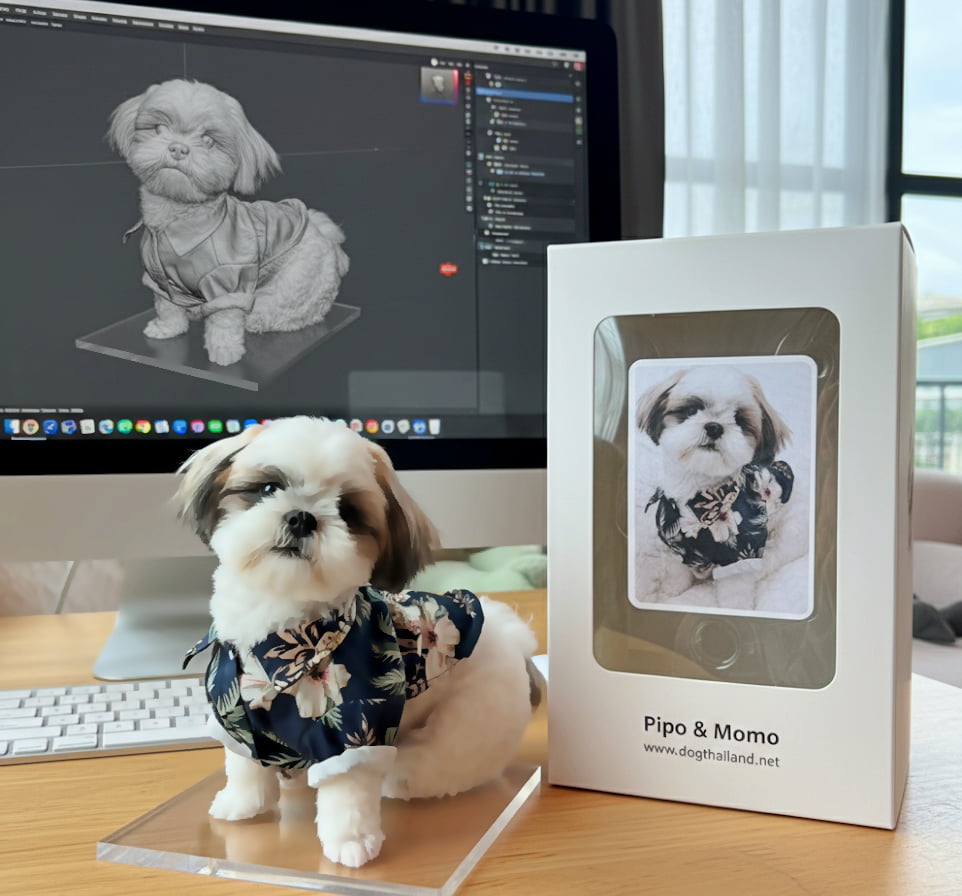
2. Prompt
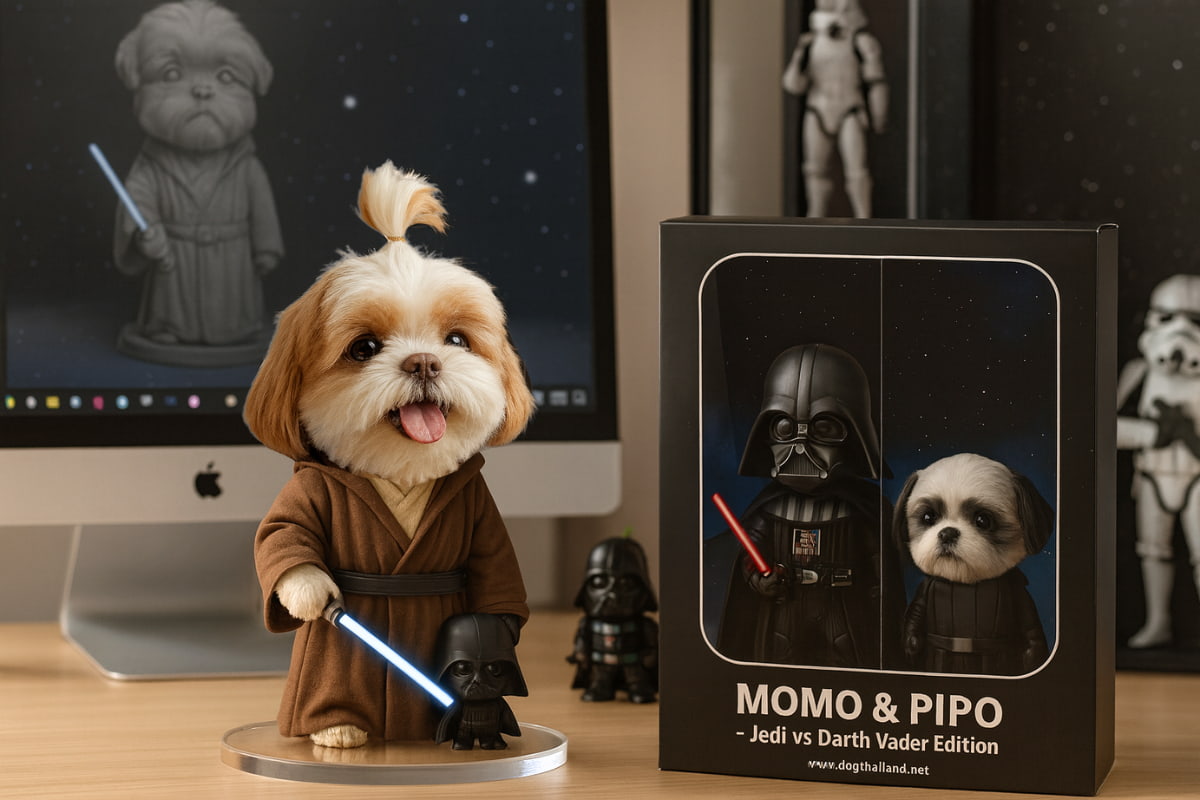
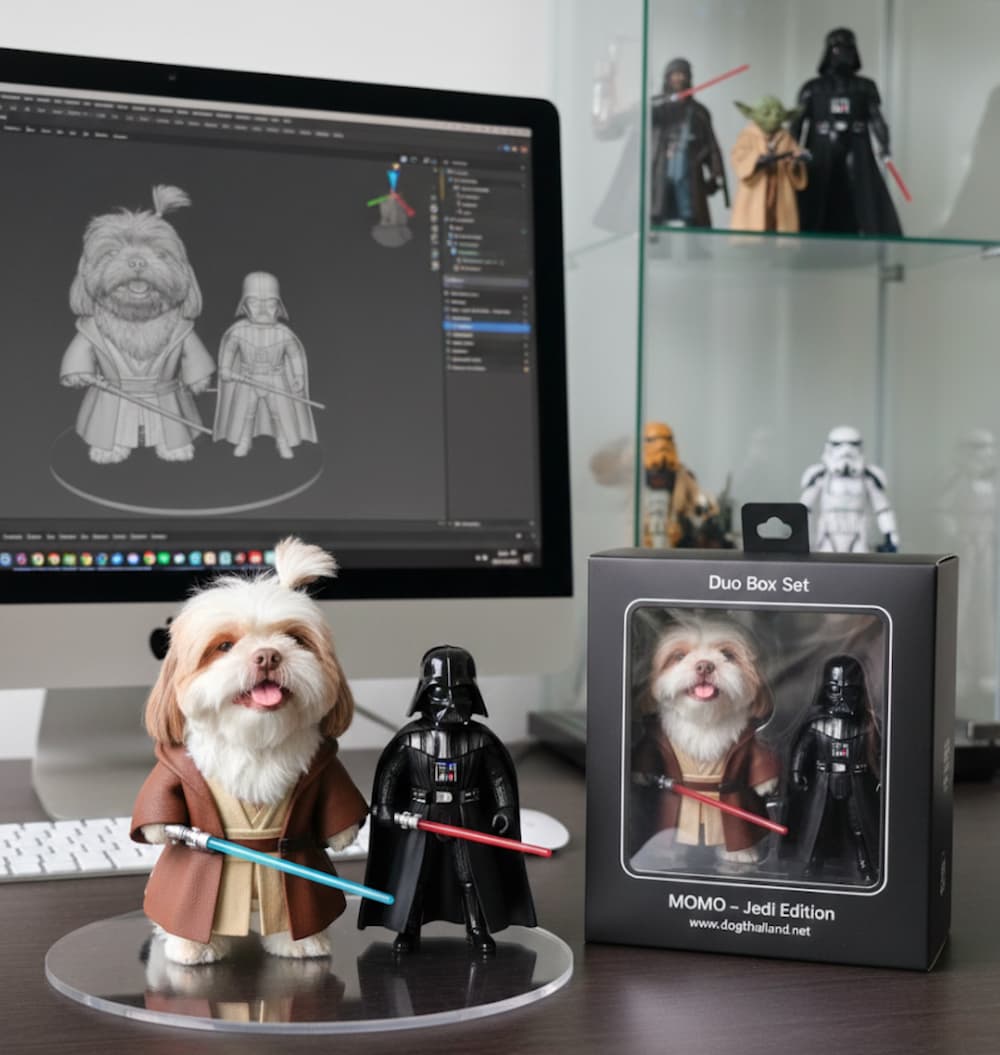
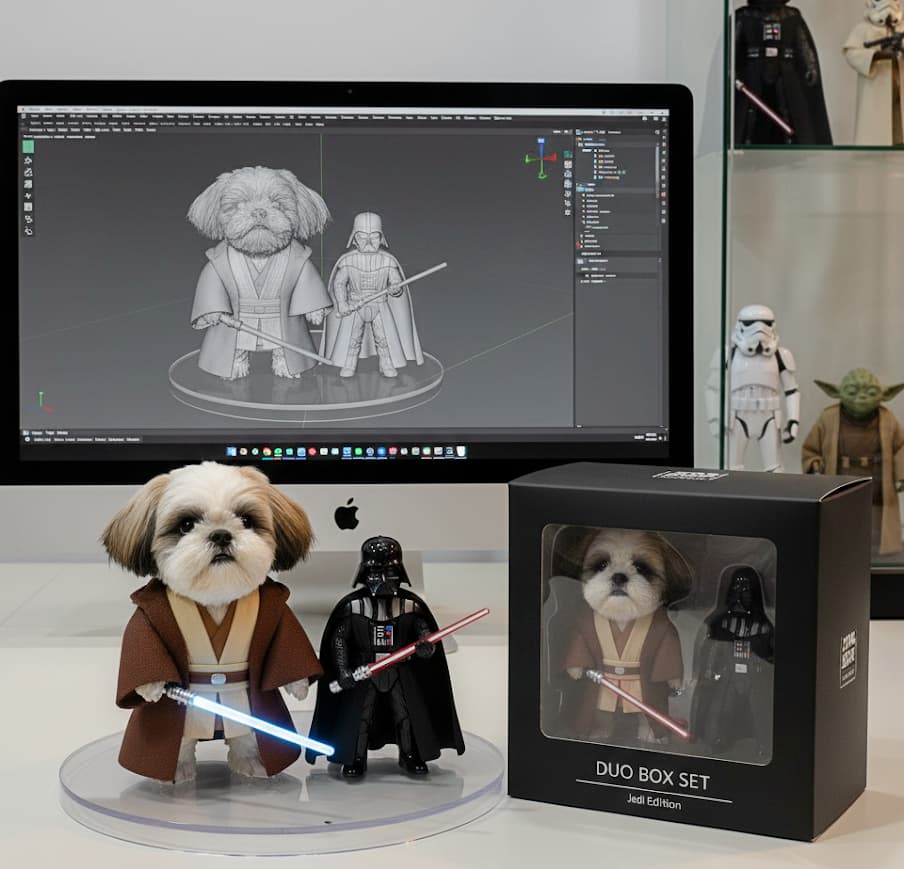
สร้างภาพ Mockup สมจริงของ Art Toy จากรูปที่อัปโหลด ตัวละคร ใส่ชุด Jedi Robe สีน้ำตาล ถือไลท์เซเบอร์สีน้ำเงิน ขนาดตัวใหญ่กว่า - มี Darth Vader สีดำ ใส่หมวกและเกราะ ถือไลท์เซเบอร์สีแดง ขนาดเล็กกว่า วางทั้งคู่บนแท่นใส (transparent display stand) คู่กัน ฉากหลังเป็นคอม iMac จอเปิดโปรแกรม 3D แสดง grey model ของน้องหมา และมี **ตู้โชว์กระจกใสข้าง ๆ โต๊ะ** ภายในตู้มีฟิกเกอร์ Star Wars เช่น Stormtrooper, Yoda, Darth Vader มีกล่องแพ็กเกจสีดำมินิมอล Duo Box Set วางข้าง ๆ กล่องมีหน้าต่างใสโชว์ฟิกเกอร์ทั้งคู่ด้านใน พิมพ์ชื่อว่า “ Jedi Edition” สไตล์การเรนเดอร์สมจริง ถ่ายภาพสินค้าในสตูดิโอ แสงพรีเมียม คมชัด ขนาดภาพ 1200x630 px สำหรับโพสต์ Facebook
ตัวหนังสือสีแดง เปลียนเป็นชื่อ รูปภาพที่จะทำได้นะ ตามต้องการเลย ชุดอยากเปลียน ก็เขียนเปลียนไปได้
ผลที่ได้
วิธีทำโมเดล fig น่ารักๆ กำลังฮิตตอนนี้ใส่กล่องพร้อม ด้วย google gemini
วิธีทำโมเดล fig น่ารักๆ กำลังฮิตตอนนี้ใส่กล่องพร้อม ด้วย google gemini
คำสรุป (ปิดท้าย + CTA)ลองทำตามขั้นตอน—อัปโหลดรูปเต็มตัว วางพรอมต์ Fig-in-Box เลือกเวอร์ชันที่ใช่ แล้วเซฟไฟล์ให้ตรงขนาดที่ต้องการ ก็ได้ผลงาน ฟิกเกอร์ในกล่อง น่ารัก ๆ ไว้ลงเพจ/โปรไฟล์ทันที ดูตัวอย่างผลงานและขั้นตอนเต็มที่นี่ ? https://www.dogthailand.net/thread-68628-1-1.html
|